> ## Documentation Index
> Fetch the complete documentation index at: https://moonshot.app/llms.txt
> Use this file to discover all available pages before exploring further.
# Making requests
> Prompt AI for responses that you can apply to your design
 ## Request
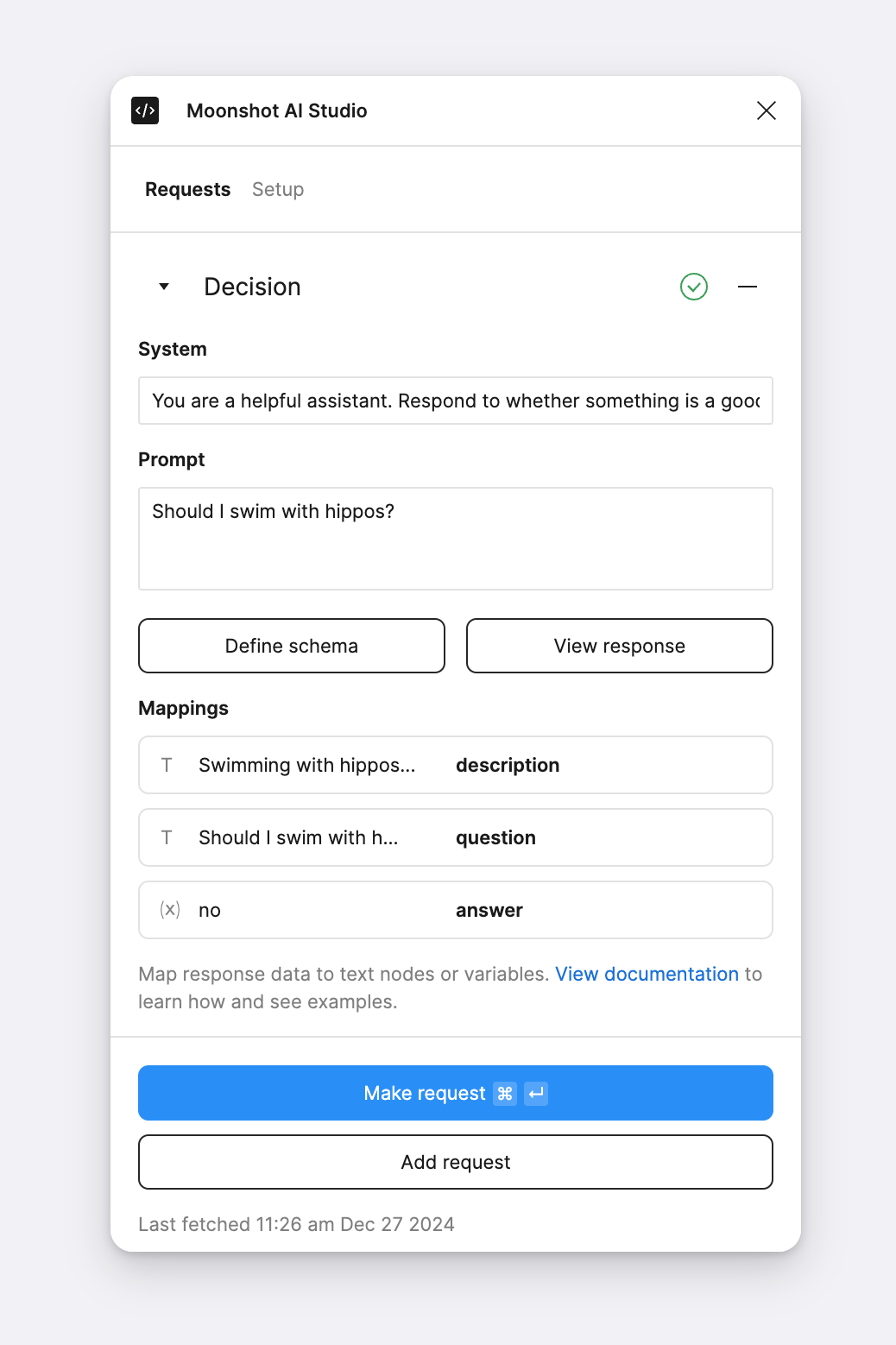
You can create one or many requests. Each request consists of a system and user prompt. Any text nodes or variables synced to a requests' response data with be displayed here as well.
### System prompt
Set context and limitations that help AI generate a successful response.
```
You are a helpful assistant.
```
### User prompt
This is what either you or the user is requesting from AI. It helps to be as specific as you can.
```
I need help setting up my wifi. Can you give me step by step instructions?
```
## Response
Click "View response" to view the properties and values AI responded with. You can click on a value to sync it with a text node or variable.
## Request
You can create one or many requests. Each request consists of a system and user prompt. Any text nodes or variables synced to a requests' response data with be displayed here as well.
### System prompt
Set context and limitations that help AI generate a successful response.
```
You are a helpful assistant.
```
### User prompt
This is what either you or the user is requesting from AI. It helps to be as specific as you can.
```
I need help setting up my wifi. Can you give me step by step instructions?
```
## Response
Click "View response" to view the properties and values AI responded with. You can click on a value to sync it with a text node or variable.